If you’re trying to figure out what are the best software options for primary care medical billing, you’re probably not starting from zero. Most primary care practices don’t have a billing results problem. The software is there, the claims go out, and yet the denial queue keeps growing, AR days keep creeping up, and somebody on your front desk is spending half their day chasing payers instead of helping patients. Picking a different platform feels like the obvious fix, but the wrong choice just moves the problem around.
At WeBill Health, we work with primary care practices on their revenue cycle every day. We’ve seen how these platforms perform with real payer mixes, real denial patterns, and real staffing constraints. This guide cuts through the vendor marketing to show you which billing software options for primary care actually deliver results in 2026, how their pricing compares, and the one scenario where none of them is the right answer.
What actually matters when evaluating billing software for primary care
Before you book a single demo, get clear on what primary care billing actually demands. You’re dealing with high patient volume, frequent evaluation and management (E&M) code complexity, and a payer mix that can span Medicare, Medicaid, and multiple commercial plans simultaneously. The features that show up in flashy demo slideshows are rarely the ones that determine whether your claims get paid.
Claims scrubbing and real-time eligibility verification
Automated claim scrubbing catches coding errors, missing fields, and data mismatches before a claim leaves your system. When you pair that with real-time eligibility checks at scheduling or check-in, you eliminate the two most common denial drivers before they ever become a problem. One clinic analysis reported that incorrect patient information alone contributed to denials in roughly 35% of rejected claims, and primary-care-specific research has reported coding errors as a factor in approximately 25% of denials from office visits. These figures vary by practice, but the pattern is consistent enough that every platform you evaluate should be able to show you real denial-rate data from comparable primary care clients. Ask any vendor specifically whether their rules engine updates when payer requirements change, or whether you’re responsible for maintaining those rules manually.
EHR integration depth and data flow
A billing platform integrated with your EHR should pull charge data, diagnoses, and visit notes directly into the claim without manual re-entry. Integrations that require CSV exports or manual reconciliation add significant overhead and can erode much of the efficiency you’re paying for. When you’re evaluating any platform, ask this specific question: does the billing workflow trigger automatically from a signed note, or does someone on your team still need to manually initiate the claim? Examples of deep EHR-to-billing integrations exist in the market, for instance, Elation Health has published details about its unified billing solution that illustrate the kind of end-to-end flow you should expect from a tightly integrated vendor. Elation Health’s billing solution is one such example to review when assessing integration depth.
Denial tracking and reporting visibility
A good denial management dashboard shows you which payers deny most often, which codes trigger edits consistently, and how long each appeal cycle takes to resolve. Without that visibility, your billing team is chasing claims reactively instead of preventing patterns from repeating. This is where many otherwise solid platforms underdeliver, and it’s one of the most important questions to pressure-test during any demo. For additional strategies on reducing denials driven by payer practices, the HFMA has practical guidance that can help shape your denial management playbook. HFMA guidance on navigating payer practices to reduce denials
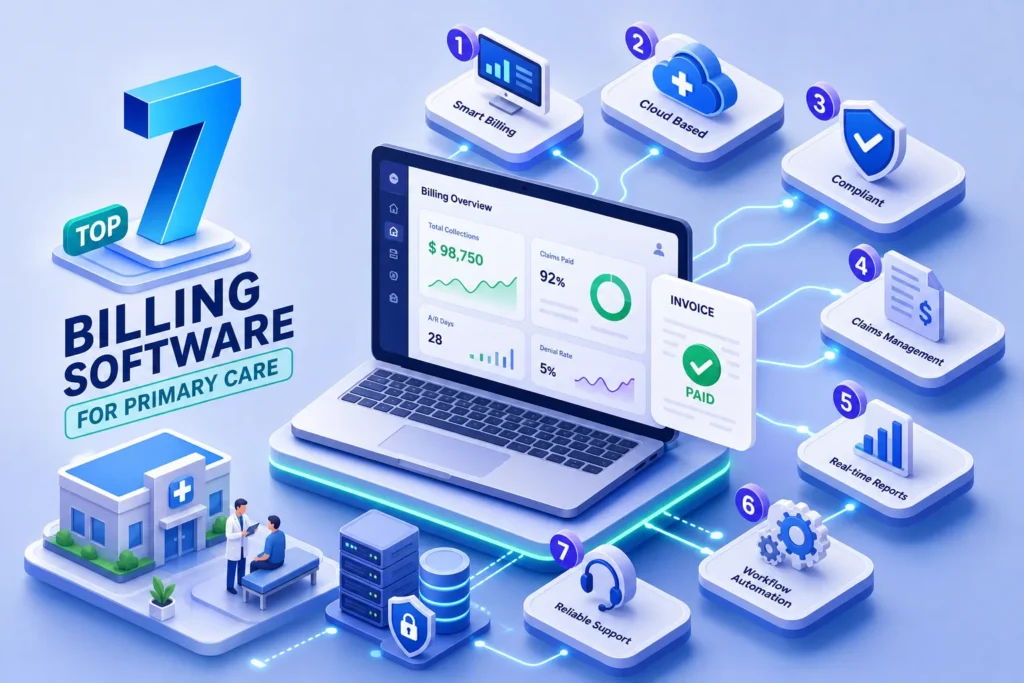
Best software options for primary care medical billing: Top 7 platforms compared
The 2026 market for primary care billing software commonly references a core set of platforms that practices return to consistently. They differ significantly in how deeply billing connects to clinical workflows, how much automation they offer out of the box, and who they’re actually built to serve.
Full practice management ecosystems
athenahealth (athenaOne) stands out for its network-based claims engine and tight coupling of EHR, billing, and patient engagement in a single platform. The company has reported a first-pass claim acceptance rate of 98.4% for athenaOne, a metric worth asking athenahealth to substantiate directly when you speak with their sales team. For primary care practices that want broad payer connectivity without juggling multiple systems, athenahealth is consistently one of the stronger fits.
AdvancedMD is well-suited for practices that need deep financial reporting alongside scheduling and billing, making it a strong choice for multi-provider groups tracking revenue trends across providers.
NextGen rounds out this tier with a configurable ecosystem that handles scheduling, eligibility verification, denial management, and EHR in one place, particularly useful for practices managing complex payer contract workflows.
Cloud-first platforms for smaller and mid-sized practices
DrChrono is purpose-built for smaller outpatient practices that want a modern, mobile-friendly interface without enterprise-level complexity. Its integrated billing works well for lower-volume practices that don’t need advanced denial analytics baked in. Pricing starts around $199/month on entry-level plans, with per-provider fees layered on top depending on the plan tier, confirm current packaging directly with the vendor since plan structures change. For a concise vendor overview, see this entry-level profile of DrChrono’s EHR and billing capabilities. DrChrono EHR software overview
Tebra, which incorporates technology from the Kareo and PatientPop platforms, differentiates itself through workflow consolidation, reducing the need for separate scheduling, billing, and communication tools. Third-party estimates put Tebra in the $125 to $399 per provider per month range, though the final number depends on your configuration.
eClinicalWorks leans heavily into AI-enhanced automation across its revenue cycle workflows and has broad adoption across primary care and ambulatory settings, according to vendor materials and independent practice management sources.
AI-forward billing tools gaining ground
CureMD combines AI-assisted billing with solid denial management tools, making it worth evaluating for practices that struggle with consistently high denial rates on specific code sets. Aptarro positions itself as billing-first, with a rules-based scrubbing engine and AI-powered coding support for practices dealing with complex or high-volume documentation requirements. Aptarro also publishes comparative analysis of top medical billing software that can be useful when building your demo shortlist. Aptarro’s top medical billing software analysis Both are newer entrants to the primary care space, but they earn a spot on any demo shortlist.
How pricing models compare across these platforms
Billing software pricing is almost never as simple as a single monthly line item. The four structures you’ll encounter are flat monthly subscription, per-claim transaction fees, percentage of collections, and enterprise custom contracts. Each has meaningful trade-offs depending on your practice’s revenue volume and growth trajectory.
Subscription vs. percentage of collections
Flat subscriptions give you predictable costs, which works well for established practices with consistent monthly volume. Percentage-of-collections pricing scales with your revenue, which sounds appealing until you run the math. For a primary care clinic billing $100,000 per month, a 3 to 4% collections fee translates to $36,000 to $48,000 in annual software costs. That’s real money that often doesn’t reflect the actual complexity of the billing work being done.
Hidden costs that catch practices off guard
Most platforms advertise a base monthly price that excludes clearinghouse fees, implementation and onboarding costs, staff training time, and per-provider add-on fees. Enterprise-level platforms in the athenahealth or NextGen tier often require multi-month implementations with significant upfront investment. Before signing any contract, ask for an all-in cost estimate that accounts for your specific practice size, provider count, and expected claim volume. The number you see in the sales deck and the number on your first invoice are rarely the same.
Matching the right platform to your practice size
The biggest mistake primary care owners make is choosing software built for a 50-provider health system when they’re running a 3-provider clinic, or selecting an entry-level tool and then outgrowing it within a year. Practice size and billing team capacity are the most practical filters to apply before you go any deeper into features.
Solo and small primary care practices (1 to 5 providers)
For solo and small practices, DrChrono, Tebra, and eClinicalWorks offer the most accessible entry points without locking you into complex implementation timelines. The priority for small practices is ease of use and integrated eligibility checks, since most don’t have a dedicated billing team to manage a steep learning curve or maintain a sophisticated rules engine. CureMD is also worth evaluating here if coding complexity or denial management is a recurring pain point. For a compact comparison of vendors geared to smaller clinics, see our roundup of options in Top 10 Medical Billing Services for Small Practices.
Multi-provider and growing group practices (6 or more providers)
athenahealth, AdvancedMD, and NextGen are better positioned for practices with multiple providers, complex payer contracts, and a genuine need for granular financial reporting. These platforms offer the reporting depth and workflow configurability that growing practices need, but they come with higher costs and longer onboarding timelines. Many vendors report implementation windows of 60 to 90 days for mid-sized practices before you’re running at full efficiency, with enterprise deployments often taking longer, factor that ramp time into your cash flow projections either way.
When software isn’t actually the problem
Here’s something most billing software vendors won’t tell you: for a significant portion of primary care practices, the root issue isn’t which software they’re using. It’s the bandwidth and expertise required to run any billing operation consistently and correctly. Software gives you tools. It doesn’t give you a billing team.
Signs your practice needs more than a software upgrade
If your denial rate is running above 10%, your AR days are creeping past 45, and your front desk staff are doubling as billing coordinators, those are warning signs that the problem is operational, not technological. Industry benchmarks commonly flag denial rates above 10% and AR days beyond 45 as thresholds worth investigating, your own numbers may vary, but if you’re hitting both at once, adding another platform to manage is unlikely to fix the underlying issue. More software means more training, more troubleshooting, and more internal responsibility to stay current on payer rule changes, modifier requirements, and coding compliance updates that shift throughout the year.
How a fully managed billing partner changes the equation
This is where practices working with a fully managed outsourced billing service like WeBill Health see a fundamentally different outcome. Instead of managing software, payer portals, denial queues, and coding updates internally, the entire revenue cycle runs through a dedicated billing partner that specializes in primary care reimbursement. Many practices that make this switch report lower denial rates and stronger net collections without the overhead of running an in-house billing operation. For primary care owners who want to focus on patient care rather than revenue cycle management, outsourcing the billing function entirely is worth evaluating alongside any software decision. Learn more about our approach in No Billing Pains, Just Revenue Gains | WeBill Health RCM Power.
How to make your final decision
The right billing software for primary care depends on your practice size, payer mix, existing EHR, and how much bandwidth your team realistically has to manage a billing operation. Use the following process to narrow your shortlist efficiently.
- Shortlist 2 to 3 platforms that match your practice size and EHR.
- Run demos using your actual claim data, not vendor-supplied samples, the difference in what surfaces is significant.
- Ask specifically about denial management reporting: how denials are categorized, how appeals are tracked, and whether you can see denial patterns by payer and code.
- Request a fully loaded cost estimate in writing, including clearinghouse fees, implementation, per-provider charges, and any add-on modules you’ll need from day one.
- Ask for references from primary care practices of a similar size that have been on the platform for at least 12 months.
Still trying to determine what are the best software options for primary care medical billing for your specific situation? The answer often depends less on the software itself and more on whether your practice has the internal capacity to run a billing operation at the level these platforms require. If you reach the end of that evaluation still feeling like billing is an unsolvable headache, WeBill Health offers a fully managed revenue cycle management (RCM) alternative that removes the software burden entirely, with dedicated primary care billing expertise handling your claims, denials, and collections from end to end. Start with a free billing assessment to see where your current operation stands. For additional strategic guidance on primary care revenue cycle approaches, see our playbook in Primary Care Billing in 2025: Maximize Revenue with Smart RCM Solutions.