
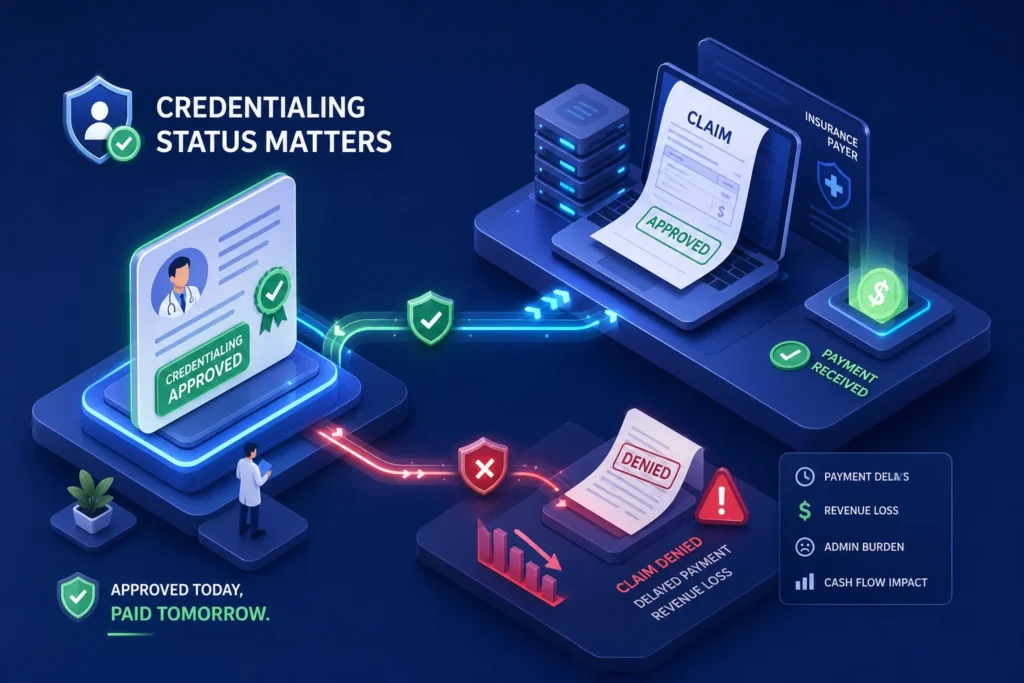
If you’re asking, “how do I check the status of my professional license credentialing application?” you’re not alone, and the stakes are higher than most providers realize. A credentialing application sitting in “pending” isn’t just an administrative inconvenience. It can quietly cut off your ability to bill insurance and collect payment from payers, often without a single obvious warning sign. Many providers are unaware that credentialing status can delay payer enrollment and prevent claims from being processed until it’s too late. By the time the billing disruption shows up in your reports, weeks of revenue are already at risk.
Credentialing gaps are one of the most overlooked reasons practices see unexpected claim denials. At WeBill Health, we offer revenue cycle services for practices across physical therapy, behavioral health, and general medicine specifically designed to catch these gaps before they become cash flow problems. The good news is that once you understand how to track your application status, interpret what you see, and take the right action at the right time, you have a clear path to regaining control of your revenue cycle.
This guide covers where to check your application status, how to decode the labels you’ll find, why applications stall in the first place, and what to do to protect your billing while you wait.
How credentialing status connects directly to your insurance claims
The link between licensure status and payer enrollment
Payers require verified, active credentials before they process claims from a provider. If a provider’s professional license verification is still pending or flagged with a deficiency, payers may hold or deny claims tied to that provider’s NPI. This isn’t a billing error on the practice’s side; it’s a credentialing eligibility gap. The chain works like this: your state board licensure feeds into primary source verification, which feeds into payer enrollment, which controls whether your claims pay out. Breaking any link in that chain can delay payer enrollment and prevent claims from being processed.
What billing actually looks like during a credentialing gap
Here’s a realistic scenario: a provider joins a practice, starts seeing patients, and claims are submitted. The credentialing application is still processing. Some payers put those claims in a suspense queue; others deny them outright with a code that reads like a routine rejection, something like CO-4 or CO-97. Front office staff don’t connect the denials to credentialing because the denial code looks like a billing issue, not a licensure issue. This is exactly when practices lose revenue they don’t even know to fight for. A clean credentialing audit trail, and a billing partner who knows how to read denial patterns, can mean the difference between recovering that revenue and absorbing the loss permanently.
How do I check the status of my professional license credentialing application?
Step 1: Locate your state licensing board portal
Every state runs its own licensing system. There is no single national portal. You need to find your specific state board’s application tracking page, and the URL can change, so don’t rely on a saved bookmark from two years ago. Here are the portals for the most frequently searched states:
- Florida: MQA Services Portal at myfloridalicense.com
- New Jersey: MyLicense Online through njconsumeraffairs.gov
- Pennsylvania: PALS system at pals.pa.gov
- Texas: Texas Online Licensing Services at tdlr.texas.gov
- Wisconsin: LicensE portal at license.wi.gov
- New York: NYSED Office of the Professions at op.nysed.gov
Many portals let you run a status lookup using an application number, license number, or NPI without requiring a login. If you’re not sure where to start, search “[your state name] professional license application status check” to find the current URL for your board.
Step 2: Check your CAQH profile and payer portals separately
Your state board status and your payer credentialing status are two separate tracks, and they need to be checked independently. Your CAQH ProView profile must be complete, attested, and current because most commercial payers pull directly from CAQH during their credentialing review. Expired attestations or incomplete CAQH sections create silent delays that won’t show up anywhere on your state board portal. Individual payers like Aetna, Cigna, and Blue Cross also maintain their own provider portals where you can track enrollment application status directly.
Step 3: Match your application details before you search
Before running any status lookup, confirm that the name, license number, NPI, and date of birth you enter match the application exactly. A middle name variation, a hyphenated last name, or a single transposed digit will return a “no record found” result that looks like a missing application but is actually just a search field mismatch. It’s a small step that saves a lot of unnecessary panic.
What those application status labels actually mean
Status labels that mean you’re still in the queue
“Pending” does not mean the same thing across all boards. In some systems, it means the application was started but not yet fully submitted. In others, it means the file is sitting in a staff review queue. “Pending: Internal Review” and “In Review” typically indicate that a board staff member is actively checking the file for completeness and eligibility. Neither label requires you to take action unless the board has sent a specific request. That said, don’t go fully hands-off: check your portal inbox and email regularly to confirm that all required deliverables have been received.
Status labels that require immediate action from you
“Application Deficiencies,” “Deficient,” “Incomplete,” and “Pending: Waiting on Deliverables” all mean the board found something missing and the clock on processing time has effectively stopped. When an application goes deficient, the delay is no longer the board’s responsibility; it’s yours. Check for a deficiency notice in your portal inbox or email, respond with exactly what was requested, and track when you submitted the correction. Two additional labels worth knowing: “Approved: Ready for Payment” means you’re almost there but still need to submit a final fee, while “Closed: Issued” or “Licensed” means the process is complete and your license is fully active.
Why credentialing applications stall more often than they should
Document and verification bottlenecks that slow everything down
The most common culprits are missing or expired malpractice insurance certificates, outdated DEA registration, incomplete W-9 or NPI information, and primary source verification delays from universities and previous employers. Boards cannot move an application forward until third-party verifications come back, and those external checks from schools, past licensing boards, and background agencies are outside your direct control. That said, they can be nudged. A direct follow-up call to your medical school’s verification office or a previous state licensing board often moves things faster than waiting. Fingerprint rejections are another silent delay: many applicants submit them, hear nothing, and don’t realize a resubmission is needed. For typical timeframes and what drives delays, see how long credentialing takes.
CAQH and data mismatch issues that flag applications for secondary review
Payer credentialing frequently gets held up when information doesn’t match across systems. If the name on your CAQH profile differs from your NPI registry record, or if the practice address on your application doesn’t match your NPPES records, payers flag the file for manual review instead of processing it automatically. This is one of the most avoidable delay causes. A simple audit of your CAQH profile against your NPPES records before submitting a credentialing application can eliminate weeks of unnecessary wait time. Build that audit into your pre-submission checklist every time.
How to contact your state board and escalate when the wait goes too long
The official contact channels that work best
Most boards offer three channels: a dedicated licensing email or contact form, a customer service phone line, and in some cases a document upload portal for sending additional materials. A few specific examples: Michigan’s Bureau of Professional Licensing handles licensing questions at BPLHelp@michigan.gov; Florida’s DBPR routes inquiries through its Customer Contact Center; New York’s NYSED contact page notes that its Licensing Contact Form is often faster than calling. The most effective outreach includes your full application reference number, your NPI, your submission date, and a specific question. “What is the status of my application?” gets slower responses than “My application for [license type], submitted on [date], reference number [#], shows ‘Pending: Internal Review.’ Can you confirm whether primary source verification has been initiated?”
When and how to escalate beyond the first contact
If a board email goes unanswered beyond the board’s stated processing timeframe, or after a reasonable follow-up interval, call the main licensing division and ask specifically for the section handling your application type. In states where a professional licensing board is separate from the front-line issuing agency, you may need to escalate to the board office itself rather than the intake staff who answered your first call. If a background check delay is the cause, your contact point shifts to the fingerprint or background check vendor, not the board. Escalation is rarely adversarial. Boards deal with high volume, and a clear, specific inquiry almost always gets a faster response than a vague follow-up asking someone to check on things.
Protecting your billing while credentialing is still in progress
Billing safeguards to put in place during the credentialing window
Check whether a supervising or already-credentialed provider in your practice can bill under their NPI while the new provider’s credentialing clears, but confirm with each payer whether incident-to or supervising-provider billing is permitted under your specific contracts, since rules vary. Some payers accept provisional or pending credentialing with retroactive billing rights once the application is approved, meaning claims submitted during the wait period can still be paid if the provider is ultimately credentialed; verify this directly with each payer before relying on it. Document everything: submission dates, status screenshots, and all correspondence with the board. That documentation becomes critical evidence if a claim denial needs to be appealed with credentialing timing as the defense.
How a billing partner like WeBill Health keeps practices ahead of credentialing-related denials
Credentialing is a clinical operations issue, but its billing consequences are a revenue cycle problem. Practices that manage billing in-house often don’t have the bandwidth to monitor payer enrollment status, catch CAQH attestation expiration dates, or connect a spike in denials back to a credentialing gap. That’s exactly the intersection WeBill Health is built to catch. Revenue Velocity Credentialing, WeBill Health is designed to align credentialing timelines with revenue workflows so issues are flagged before they become unrecoverable losses.
When credentialing gaps create billing disruptions, the WeBill Health team works to identify the pattern in denial data, escalate the payer enrollment issue, and keep the appeals process moving so your practice isn’t left absorbing losses while you wait for a credentialing resolution. The denial code rarely says “credentialing issue.” It says something that looks routine, CO-4, CO-97, a timely filing flag, and it takes someone who knows where to look to connect those dots. Our Provider Credentialing, WeBill Health services focus on bridging those operational gaps and documenting timelines for appeals.
If credentialing delays are already affecting your claims, it’s worth talking to a billing team that knows how to read between the lines of a denial code. Reach out to WeBill Health and let’s take a look at what’s happening in your claims data.
Credentialing status is a billing issue, not just a paperwork issue
Your credentialing status is directly wired to your ability to collect from insurance, and now you know how to check it. If you’ve ever found yourself wondering how do I check the status of my professional license credentialing application, the answer starts with your state board portal, runs through your CAQH profile, and extends to each individual payer’s enrollment system. Locate your portal, interpret the status labels accurately, identify what’s causing any delay, and escalate when needed. You have a clear path forward instead of a waiting game. These steps apply whether you’re newly licensed, re-credentialing after a state change, or troubleshooting a payer enrollment issue that’s been sitting unresolved for weeks.
Staying ahead of credentialing timelines and keeping your CAQH profile current is one of the simplest ways to prevent billing disruptions before they happen. It doesn’t require a large team; it requires a consistent process. For practices that want a billing partner watching this alongside them, WeBill Health is built for exactly that. If you specialize in behavioral health, see our Behavioral Health Billing: The 2026 Clinic Playbook, WeBill Health for specific tips and workflows.
Frequently Asked Questions
How do I check the status of my professional license credentialing application?
Start with your state licensing board’s online portal using your application number, license number, or NPI. Then check your CAQH ProView profile for attestation status and any individual payer portals where you have enrollment applications pending. Each system tracks a different part of the credentialing process and needs to be reviewed separately.
How do I check the status of my professional license credentialing application with CAQH?
Log in to CAQH ProView at proview.caqh.org and review your profile’s attestation date and completeness. If your attestation has expired or sections are flagged as incomplete, payers pulling your data will see a stale or incomplete record. Re-attest and resolve any flagged sections promptly to avoid enrollment delays downstream.
What does “Pending: Internal Review” mean on a licensing portal?
It typically means a board staff member is actively reviewing your file for completeness and eligibility. No action is required on your end unless the board sends a specific request. Monitor your portal inbox and email in case a deficiency notice is issued.
Can I bill insurance while my credentialing application is still pending?
It depends on your payer contracts and state rules. Some payers allow billing under a supervising provider’s NPI or offer retroactive payment once credentialing is approved. Confirm the specific policy with each payer before submitting claims, and document everything in case an appeal is needed later.