
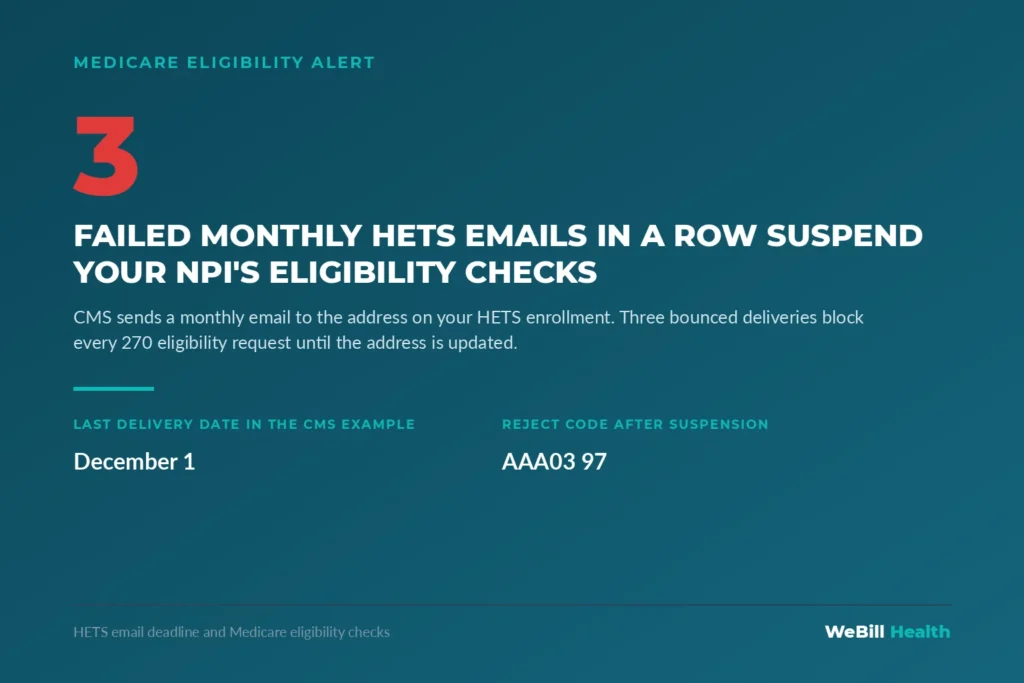
Check the email address on your practice’s HETS EDI enrollment and fix it through your Medicare Administrative Contractor before December 1, 2026. CMS said in its October 8, 2026 MLN Connects newsletter that three straight monthly email failures (October 1, November 1 and December 1) will suspend the enrollment and block every eligibility request for your NPI.
What is HETS and why does it matter to my front desk?
HETS is the CMS system that answers Medicare eligibility checks in real time. When your practice management system, EHR or clearinghouse shows a patient’s Medicare coverage, it usually pulls that answer from HETS.
CMS describes HETS as the HIPAA Eligibility Transaction System. It accepts a 270 eligibility request and sends back a 271 response while the patient is still at the counter. It handles real time requests only and does not take batch files. CMS says the 270/271 application is typically available 24 hours a day, 7 days a week.
Most small practices never log into HETS. Their software vendor or clearinghouse sends the requests for them. That is why this deadline is easy to miss. The enrollment that keeps those checks flowing belongs to the practice and its NPI, and the vendor cannot fix it for you.
What exactly changes on December 1, 2026?
Nothing changes in the rules on December 1. That date is the third and final monthly email in a cycle that can switch off your access.
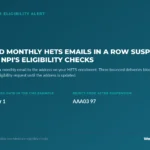
HETS sends each enrolled provider a monthly report by email. According to the CMS HETS EDI enrollment page, if delivery of that email fails for three consecutive months, HETS suspends the enrollment. CMS gives the example of failed deliveries on October 1, November 1 and December 1, 2026. After a suspension, HETS rejects the 270 requests for that NPI, and the 271 comes back with reject code AAA03 = “97”, until someone updates the email address.
So a practice whose October 1 email already bounced has two delivery dates left. A practice that has never received a monthly HETS report should treat that silence as a warning sign.
How did this requirement start?
It grew out of a rule CMS put in place in spring 2026. Since May 11, 2026, HETS has required a valid HETS EDI enrollment for every NPI submitted for eligibility checks.
In its April 30, 2026 MLN Connects newsletter, CMS told providers who use third party vendors to enroll each vendor and link it to their NPI by May 11. CMS warned that transactions could fail with AAA error code “41” when no current, valid relationship exists between the NPI and the vendor. The monthly email report is part of that same enrollment. It lists the eligibility transactions tied to your NPI so you can spot misuse.
How do I check and update my HETS enrollment email?
You update it through the MAC or CEDI that holds your HETS EDI enrollment. CMS states plainly that your billing company, EHR vendor or clearinghouse cannot make the change for you.
- Find the enrollment. Ask your clearinghouse or EHR vendor which MAC or CEDI record your HETS access sits under and which NPI it uses. CMS says you enroll with one MAC where you already have an electronic claims enrollment. Use the same individual or group NPI you bill with.
- Search the inbox. Look for monthly HETS transaction reports in the shared mailbox you listed. If none have arrived since you enrolled, assume the address is wrong or blocked.
- Ask your vendor about bounce notices. CMS tells providers to update the email if a clearinghouse reports a delivery failure. Vendors are expected to help keep customer emails current, so ask directly whether they have seen one for your NPI.
- Gather the enrollment details. The CMS enrollment page lists the authorized signer’s name, your email address or addresses, your PTAN, your NPI and the start and end dates of each vendor relationship.
- Submit the change to your MAC. Use your MAC’s EDI enrollment process to correct the address. Add the optional alternate email so one staff departure does not cut off delivery.
- Verify the email. CMS asks providers to verify the address so monthly reports arrive. Confirm the next report lands.
- Read the Rules of Behavior. Enrollment requires you to read and acknowledge the HETS Rules of Behavior. Keep a copy in your compliance file.
- Write down a backup plan. If access lapses, CMS says you can still check eligibility through your MAC’s secure internet portal. Make sure at least two staff members have working portal logins today.
What happens to claims if eligibility checks stop?
Your front desk loses its fastest way to confirm Medicare coverage. That raises the odds of submitting claims with the wrong payer or stale coverage data.
When a 270 request is rejected, the software may show an error, a blank screen or a generic failure. Busy staff may skip the check and schedule the visit anyway. A patient who has moved into a Medicare Advantage plan, or whose coverage has ended, then shows up later as a denial or a rebill. The work to recover that claim costs far more than a quick address update now.
Your MAC portal remains open during a suspension, but portal lookups are manual and slow. A busy front desk will feel that drag at once.
What this means for practices with 1 to 15 providers
Small practices carry the most risk here because one person often owns every enrollment task. Give this deadline an owner and a date this week.
- Map every NPI you bill under. A group with individual and group NPIs may have more than one HETS EDI enrollment. Each one needs a working email.
- Replace personal inboxes. If the address on file belongs to a former office manager, change it to a role mailbox such as billing@ or enrollment@ that someone checks daily.
- Whitelist CMS senders. Ask whoever runs your email to make sure messages from CMS and your MAC do not land in spam or quarantine.
- Put the monthly report on a calendar. Someone should open it each month, compare the volume to your patient schedule and report odd activity to your vendor. CMS lists mcare@cms.hhs.gov for concerns that an NPI is being misused for eligibility checks.
- Test before December 1. After you update the address, run a live eligibility check through your normal software and confirm a clean 271 response.
- Track vendor changes. If you switch clearinghouses or EHRs, update the vendor relationship dates on your HETS enrollment at the same time.
This task sits next to other enrollment upkeep, such as CAQH attestations and PECOS revalidation. Practices that track all of those items on one calendar rarely get caught by a lapse.
Frequently asked questions
Can my clearinghouse update my HETS email for me?
No. CMS says your billing company, EHR vendor or clearinghouse cannot make this change. You must update it through your Medicare Administrative Contractor.
What error will we see if our HETS enrollment is suspended?
CMS says HETS will reject 270 requests for the NPI, and the 271 response carries AAA03 = “97” until the email is updated. A missing vendor link shows AAA error “41” instead.
Do I need to enroll with every MAC?
No. CMS says you create the HETS EDI enrollment with one MAC or CEDI where you already have an electronic claims enrollment.
Can we still check Medicare eligibility if HETS access is suspended?
Yes. CMS says providers can still check eligibility through a MAC’s secure internet portal. It takes longer, so plan staff time for it.
Who do we call with HETS questions?
The MCARE Help Desk answers HETS questions Monday through Friday, 7 am to 7 pm ET, at 1.866.324.7315 or mcare@cms.hhs.gov.
What if we stop sending electronic Medicare claims?
CMS says you lose HETS access if you stop submitting electronic Original Medicare claims, because the HETS enrollment depends on your claims enrollment.
Where should my practice start?
Start by confirming who owns your enrollment records and when each one was last checked. WeBill Health works as a revenue defense partner for independent practices, with 24/7 CAQH and PECOS lifecycle monitoring and human pre submission review by coding experts using payer rule libraries built by specialty and carrier. If you want a clear view of where enrollment gaps or front end errors are costing you, request a Revenue Defense Audit and we will show you what to fix first.
Sources
- CMS, MLN Connects Newsletter, October 8, 2026: HETS: Verify Email by December 1 to Avoid Rejected Eligibility Requests
- CMS, HETS EDI: How to Enroll
- CMS, MLN Connects Newsletter, April 30, 2026: HETS Action Required: Enroll Third Party Vendors for Access by May 11
- CMS, HIPAA Eligibility Transaction System (HETS)
- CMS, MCARE Help Desk Contact